
Find
Search the chats you actually opened.
EzFind indexes saved chat titles and captured content locally, then lets you search chats, bookmarks, tags, folders, and templates from the drawer.
EzFind adds a focused workspace inside your AI chat tools, so you can search saved conversations, organize them with folders and tags, bookmark exact answers, and reuse prompt templates without leaving the page.
Find
EzFind indexes saved chat titles and captured content locally, then lets you search chats, bookmarks, tags, folders, and templates from the drawer.
Organize
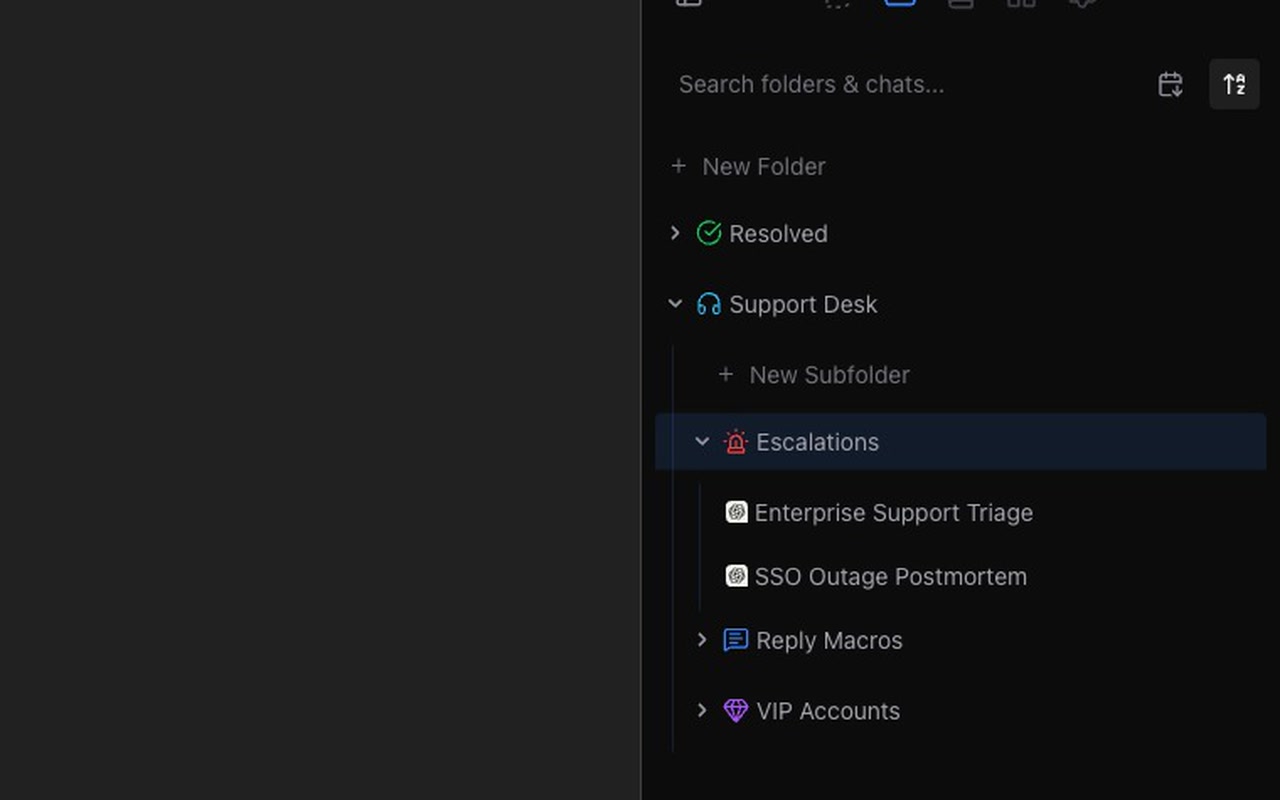
Use folders for major workstreams, tags for cross-cutting labels, and color or icon choices to keep recurring projects easy to scan.
Reuse
Bookmark exact messages, answers, code blocks, and useful ideas, then save repeat prompts as templates with variables for faster reuse.
Current Feature Set
EzFind is not another chat app. It appears inside ChatGPT, Claude, and Gemini, captures the conversations you open, and gives you the missing organization layer around them.
One Chrome extension for ChatGPT, Claude, and Gemini instead of separate organizers per tool.
Search saved chat titles and captured content from your browser storage.
Create nested folders, assign chats, sort views, and browse work by project or topic.
Tag chats by client, project, priority, or status and filter a dense history down fast.
Bookmark precise text and jump back to the source chat when you need the original context.
Save personal prompts, use variable placeholders, and start from a built-in prompt library.
Drop in curated folder and tag bundles to organize your workspace from day one.
Sync organization data across browsers while keeping full chat transcripts out of EzFind servers.
Product Demos
The core tools are built for fast repeated use: open the drawer, organize the current chat, find saved work, or insert a reusable prompt.
Built For Daily AI Work
EzFind is designed for people who return to old AI conversations for decisions, snippets, drafts, research trails, and project context.
Find prior debugging sessions, keep reusable code-review prompts, and bookmark working snippets.
Organize research threads by topic, tag source-heavy chats, and return to specific conclusions.
Keep strategy, hiring, support, and product conversations separated by workstream.
Save high-performing prompt formats, bookmark final drafts, and group campaigns into folders.
Privacy Model
EzFind works from conversations you open in Chrome. Your local chat index and full transcripts are stored in your browser, not on EzFind servers.
Premium Sync
If you sign in for premium sync, EzFind syncs account and organization data such as tags, folders, templates, notes, bookmark entries, chat assignments, selected preferences, and subscription status.
EzFind currently runs on ChatGPT at chatgpt.com, Claude at claude.ai, and Gemini at gemini.google.com.
No. Full chat transcripts stay in your browser. Premium sync is for account and organization data, including tags, folders, templates, notes, bookmark entries, chat assignments, preferences, and subscription status.
The free tier is local-first and includes core organization tools with starter limits for tags, bookmarks, folders, and templates. Premium raises those limits and adds automatic sync.
Email support@ezfindchat.com or visit the Support page.